From research to work product: introducing File Upload and DocDraft
Tyra Delos Reyes

From research to work product: introducing File Upload and DocDraft
Any AI can draft a pleading or review a contract, but not every AI tool can:
Cite the provision your pleading is missing, and surface a key authority you may have overlooked
Flag potentially unenforceable language in a compliance document against the latest issuances
Add the legal basis for an argument in a single click
Until now, Anycase has primarily helped lawyers analyze and surface the law, resolve complex procedural questions, and conduct cross-agency legal analysis.
File Upload and DocDraft are being released in beta as we continue to improve how they work across different legal workflows.
Together, these features form the foundation of a more complete workflow inside Anycase: bring your own context into your research, then carry that research into document drafting, all inside one legal workspace.
Building an accurate legal AI
Large language models (LLMs) can clean up a contract, summarize a document, or fill a blank page in seconds. The harder problem is producing something that knows what Philippine law requires.
That distinction has shaped much of our work from 2024 to 2026. We expanded the Anycase legal library, improved the quality and coverage of our data, and built systems that have helped us sustain up to 97% accuracy on Bar evaluations. More recently, we made citations easier to inspect, so lawyers can trace an answer back to its source and verify it themselves.
We built the underlying legal infrastructure first: the accuracy and data coverage needed to support stronger legal work.
So when Anycase reviews a contract or starts a draft, it isn’t starting from a blank page: it starts with an understanding of Philippine law.
File Upload: bring your own context into Anycase
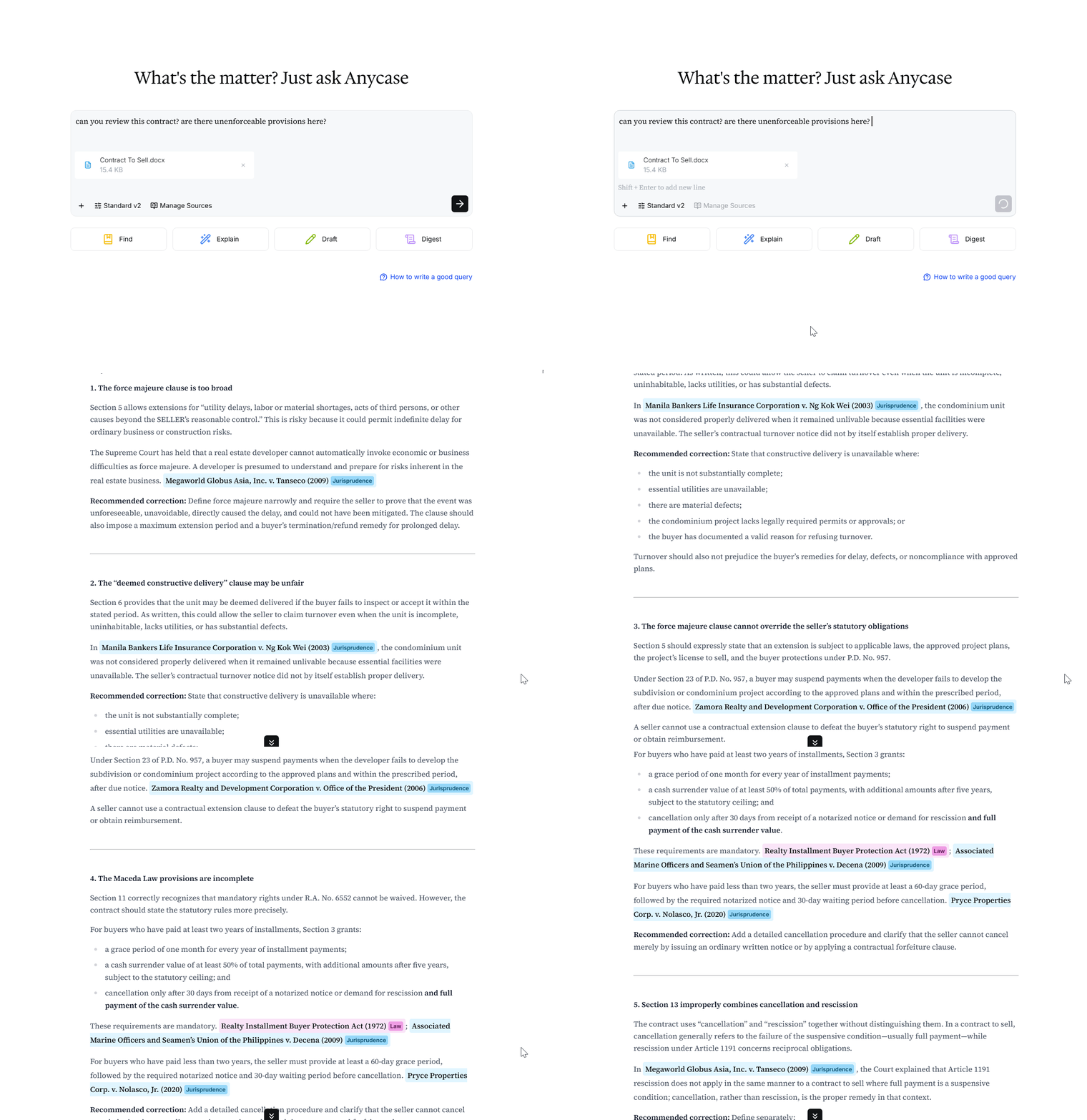
Sometimes the most useful information isn’t in a legal document at all, but in your own personal notes, a colleague’s feedback, or other internal context.
With File Upload, you can bring important documents and additional information directly into your research.
Anycase treats an uploaded document as a source, allowing you to ask questions about it, reference it alongside the legal library, and incorporate its contents into your research.
You can use File Upload to:
Add canonical sources that you want to reference directly
Transcribe and work through document contents
Bring notes, case materials, or other relevant context into your research
Unlike the wider Anycase legal library, the documents you upload are exclusively accessible to you. Documents you upload are encrypted in transit and at rest, processed only as needed to provide the features you use, and Anycase does not use your uploaded documents, queries, or generated outputs to train AI models.
Read more: What is File Upload?
Privacy note: You are responsible for ensuring that you have the right to upload any information to Anycase. Please review our Privacy Policy before uploading sensitive or confidential information.
DocDraft: first drafts that actually know Philippine law
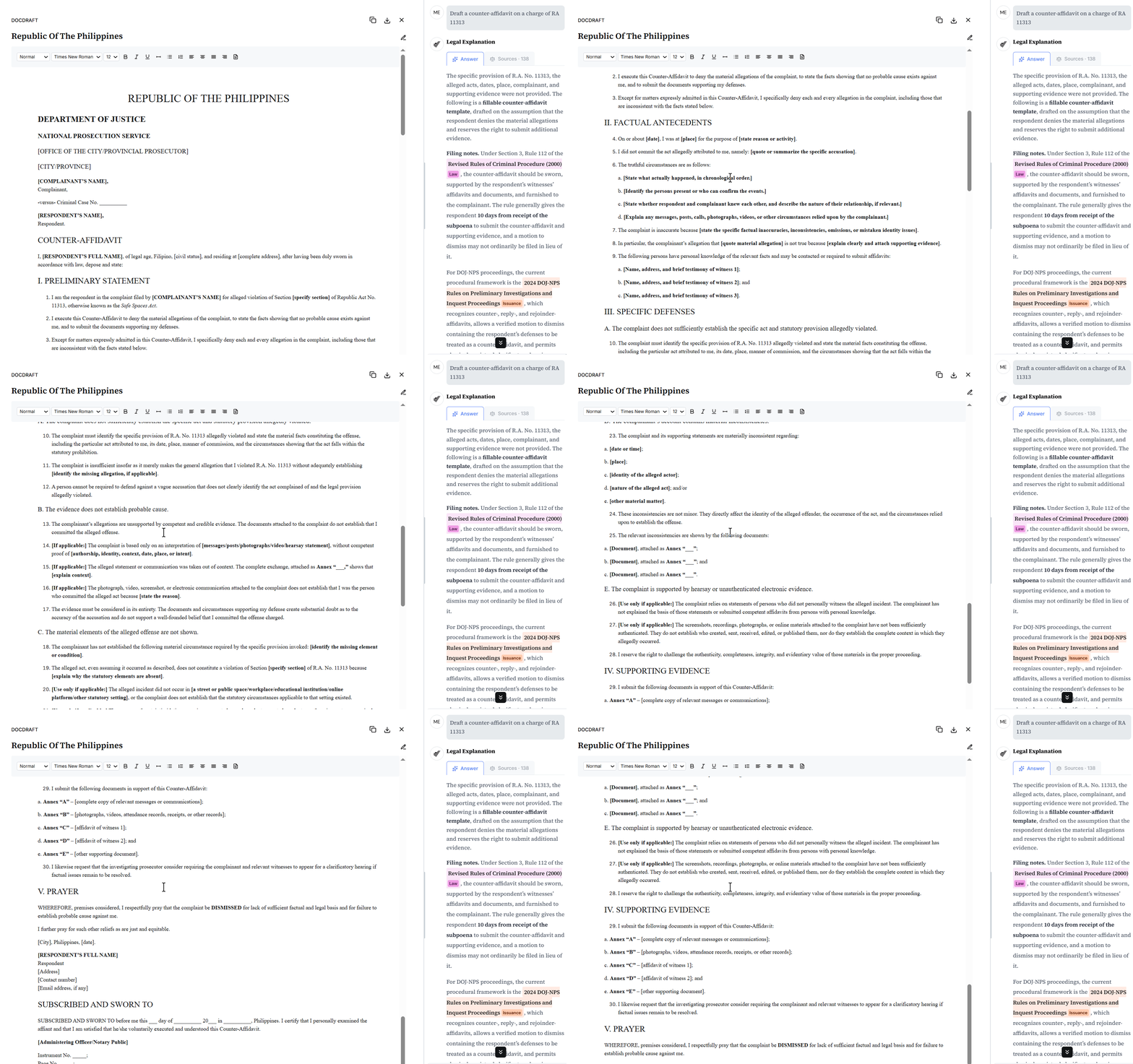
DocDraft is a Word-like editor inside Anycase, connected directly to the legal library and your research. Instead of treating research and drafting as separate steps, you can move from finding the law to working with it in the same workspace.
With DocDraft, you can ask Anycase to:
Generate boilerplate documents, such as consent forms, with relevant Philippine-law requirements in view
Draft first-pass pleadings and legal memos with the necessary provisions and legal context built in
Add the legal basis for a selected provision in one click, with a direct link to the supporting source
Read more: What is DocDraft?
How DocDraft and File Upload unlock more workflows inside Anycase
Compliance: Reviewing and drafting compliance policies
Anycase can compare policies against the relevant legal framework, surface gaps or inconsistencies, and carry that analysis into DocDraft when a policy or disclosure needs to be revised.
For general counsels, that might mean uploading board documents, committee reports, governance updates, board resolutions, then asking Anycase to review them against the CG Code for Public Companies and Registered Issuers.
You can review the company’s governance framework as a whole, or narrow the analysis to a specific question.
Anycase can:
Compare uploaded documents
Surface inconsistencies or missing provisions
Flag relevant compliance issues, citing the ruling law
Litigation: Writing first drafts of pleadings and legal memos
DocDraft can help turn case materials into a stronger first draft, or review an existing draft for gaps that need more support.
Instead of starting from a generic first draft, Anycase can draft with the requirements from the Rules of Court already in view and help surface what may still be missing in your pleading. You can ask it to:
Flag sections that lack legal basis
Surface procedures, deadlines, and submission requirements
Check the draft for factual inconsistencies or unsupported allegations
Identify provisions or arguments that need further support
Surface sections that may be missing from the pleading altogether
Contracts: Clause-by-clause review of contracts
Anycase can help review contracts beyond language and structure. Because its legal library includes DOLE, NLRC, SEC, and other Philippine legal sources, you can ask it to assess whether a provision actually works under the law that applies to it.
For an employment agreement, that might mean checking whether a termination-on-notice clause is enforceable in light of the requirements of just or authorized cause and due process under the IRR of the Labor Code.
Try DocDraft and File Upload today
Research no longer has to sit in one tab while the work happens somewhere else. With our most recent updates, research and drafting become part of the same workflow.
Both features are currently available in beta to Pro and Pro Team users, with limited access for Free users.
As we continue developing them, your feedback will help us improve how Anycase supports the work that comes after research.